A WiFi QR code stores your network details in a scannable format so users can connect without typing SSID and password manually. It is one of the most practical QR use cases for guest access because it removes friction at the moment people need internet access.
When implemented well, WiFi QR codes improve user experience in hotels, restaurants, clinics, offices, and homes. At the same time, they require operational discipline: credentials can change, print quality matters, and placement affects scan success.
What does a QR code for WiFi mean?
A QR code for WiFi is a QR format that embeds network credentials such as SSID, encryption type, and password. Once scanned, compatible devices can prompt users to join the network immediately.
The goal is not only speed. A WiFi QR code also reduces support questions, avoids password typos, and creates a cleaner onboarding flow for guests and customers.
How does a WiFi QR code work?
The generator converts your WiFi parameters into a standardized payload. A scanner reads that payload and hands the values to the device's network settings.
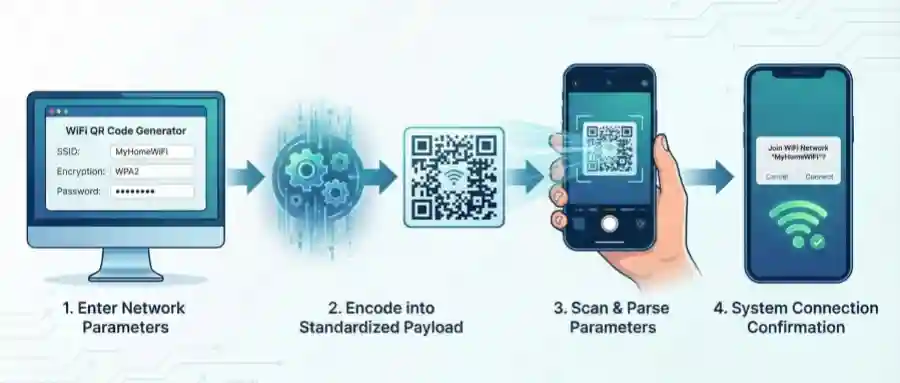
- You enter SSID, security method, and password in the generator.
- The generator encodes those values into a scannable QR symbol.
- A phone camera scans the symbol and parses the WiFi data.
- The device shows a join prompt and connects after confirmation.
How to create a WiFi QR code
Follow this workflow to generate a QR code that is both easy to scan and easy to maintain.
1. Select the WiFi type in the generator
Use the WiFi content type so the output stores credentials in the right format.
2. Enter exact network credentials
Provide SSID, password, and encryption accurately. A single typo will break the connection flow.
3. Customize design with scanability in mind
Keep strong contrast, avoid tiny modules, and do not cover key patterns with oversized logos.
4. Test before publishing
Scan on multiple phones, under different light conditions, and from realistic distances before printing.
Advantages of WiFi QR codes
WiFi QR codes are popular because they balance convenience and operational simplicity.
- Faster onboarding: guests connect in seconds with fewer support requests.
- Lower error rate: no manual typing means fewer failed login attempts.
- Better customer experience: ideal for front desks, tables, waiting rooms, and events.
- Simple distribution: the same code can appear on posters, cards, and digital screens.
- Brand alignment: design customization helps the code fit your visual identity.
Disadvantages of WiFi QR codes
The format is useful, but teams should understand these practical limitations.
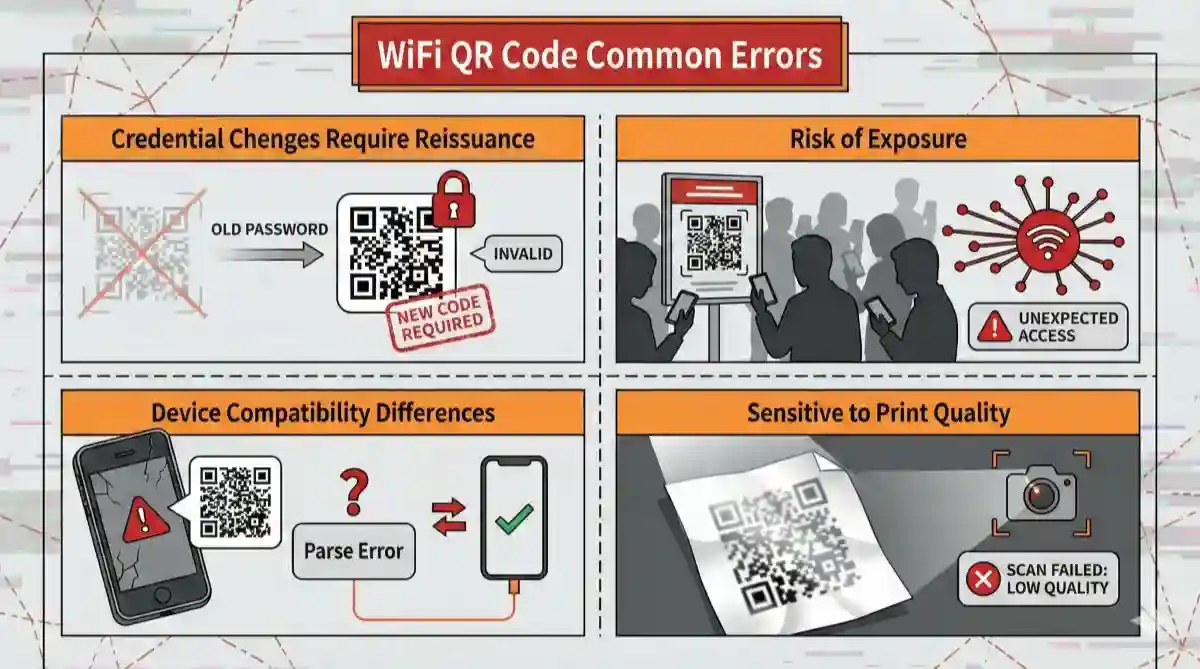
- Credential changes require replacement: if password rotates, old codes stop working.
- Security exposure risk: public display can invite unauthorized network attempts.
- Device variance: older phones may parse WiFi payloads less reliably.
- Printing quality sensitivity: low contrast or blur can reduce scan success.
Best practices and safety tips
Use these safeguards to keep your WiFi QR deployment reliable and secure.
- Create a dedicated guest network instead of exposing your internal office network.
- Set a review schedule to re-test printed QR codes after password or router updates.
- Place the code where lighting and scanning distance are comfortable.
- Keep a short fallback text (network name + support contact) near the code.